Punch Up Controls
Every input for giant-glove movement, punches, and abilities on Roblox platforms.
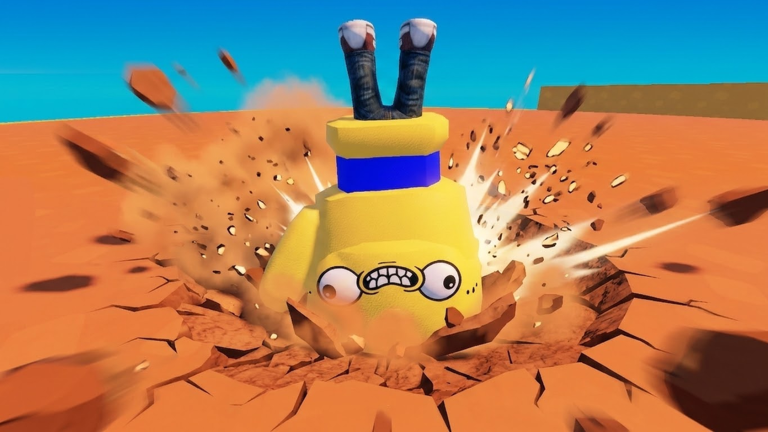
Clean inputs separate accidental self-ring-outs from intentional Knockout Strategy plays. Punch Up uses standard Roblox movement with glove-specific punch and ability bindings. This page lists controls for PC, mobile, and console/gamepad so you can switch devices without relearning muscle memory.
PC keyboard and mouse
Roblox defaults apply unless Build Tower Team adds custom remapping:
| Action | Default input |
|---|---|
| Move | W A S D |
| Jump | Space |
| Punch | Left mouse click (primary action) |
| Camera | Mouse move |
| Shift lock | Shift (optional — helps edge awareness) |
| Ability slots | Number keys 1–3 or on-screen icons (verify in-game) |
Tips for PC players:
- Enable Shift Lock in Roblox settings for easier edge spacing
- Tap punch rather than holding — spamming may desync against moving targets
- Bind abilities to keys you can reach while holding movement keys
- Lower mouse sensitivity if you overshoot double-jump landings
Pair mechanical skill with How to Play fundamentals before grinding Farm Hits.
Mobile touch controls
Roblox mobile overlays a virtual joystick and action buttons:
| Action | Touch input |
|---|---|
| Move | Left virtual joystick |
| Jump / Double Jump | Jump button (tap twice for double jump when unlocked) |
| Punch | Primary action button (usually right side) |
| Abilities | Dedicated icons above punch — Ground Pound, Bomb Punch |
| Camera | Swipe right side of screen |
Mobile tips:
- Increase button size in Roblox settings if mis-taps cost you ring-outs
- Play on Wi-Fi — mobile lag makes edge fights unfair
- Use landscape orientation for wider camera view of the arena rim
- Rest thumbs near ability icons before knockout finals
Mobile players can compete but may struggle against PC aim at high punch-power metas — consider speed-focused Beginner Build gloves.
Gamepad / controller
Xbox-style controllers map through Roblox’s default scheme:
| Action | Gamepad |
|---|---|
| Move | Left stick |
| Camera | Right stick |
| Jump | A / Cross |
| Punch | Right trigger or face button (check in-game) |
| Abilities | Bumpers or D-pad slots |
Controllers excel at smooth movement during Knockout Strategy circles. Practice braking at edges with partial stick tilt instead of full sprint.
Ability inputs in detail
Once unlocked via Hits — see Abilities Explained — three abilities activate from UI buttons or hotkeys:
Ground Pound
Jump or drop, then trigger Ground Pound to slam the arena floor. Best when multiple gloves cluster mid-map. Do not use near the edge unless you intend to trade ring-outs.
Double Jump
Press jump again mid-air. Essential for recovering when shoved toward the rim. Master timing in private lobbies before Competitive Build ranked play.
Bomb Punch
Arm an explosive strike — often a charged punch or separate button. Save for finishing low-health targets or breaking defensive stalls.
Cooldowns and exact animations may change — check Updates Hub after patches.
Camera and awareness
The floating arena hides rim depth until you nearly fall. Rotate camera frequently:
- Before committing to a chase, glance at your footing
- During Bomb Punch windup, ensure you are not facing off-platform
- In knockout finals with two gloves left, prioritize survival angles over damage
Control troubleshooting
| Problem | Fix |
|---|---|
| Punch not registering | Rejoin server; check Roblox input lag |
| Abilities greyed out | Confirm Hits unlock on Unlock Gloves page |
| Double jump fails | Unlock ability first; wait for full jump apex |
| Wrong platform layout | Verify place ID 130222697019939 on Official Links |
Related pages
- How to Play — session loop
- Abilities Explained — ability strategy
- How to Win — positioning with solid inputs
- Review — platform feel overview
Frequently Asked Questions
Quick answers about Punch Up on Roblox.
How do you punch in Punch Up?
On PC, left-click. On mobile, use the primary action button. On gamepad, typically right trigger or a face button — confirm in-game.
How does Double Jump work?
Unlock it with Hits, then press jump again while airborne. Timing matters near arena edges.
Can I rebind controls?
Roblox supports some remapping in settings. In-game ability slots may be fixed — check the lobby UI.
Is mobile viable for Punch Up?
Yes for casual play. Competitive knockout lobbies favor PC precision unless you use speed builds.
Where are ability buttons?
Usually numbered keys on PC or icons near the punch button on mobile. See Abilities Explained for usage.